If you remember your login password and are able to log into your BlockFin account successfully, please follow the steps below to change it:
To protect your funds, the withdrawal function will be suspended for 24 hours after resetting verification methods.
A Step-by-Step Guide on Web
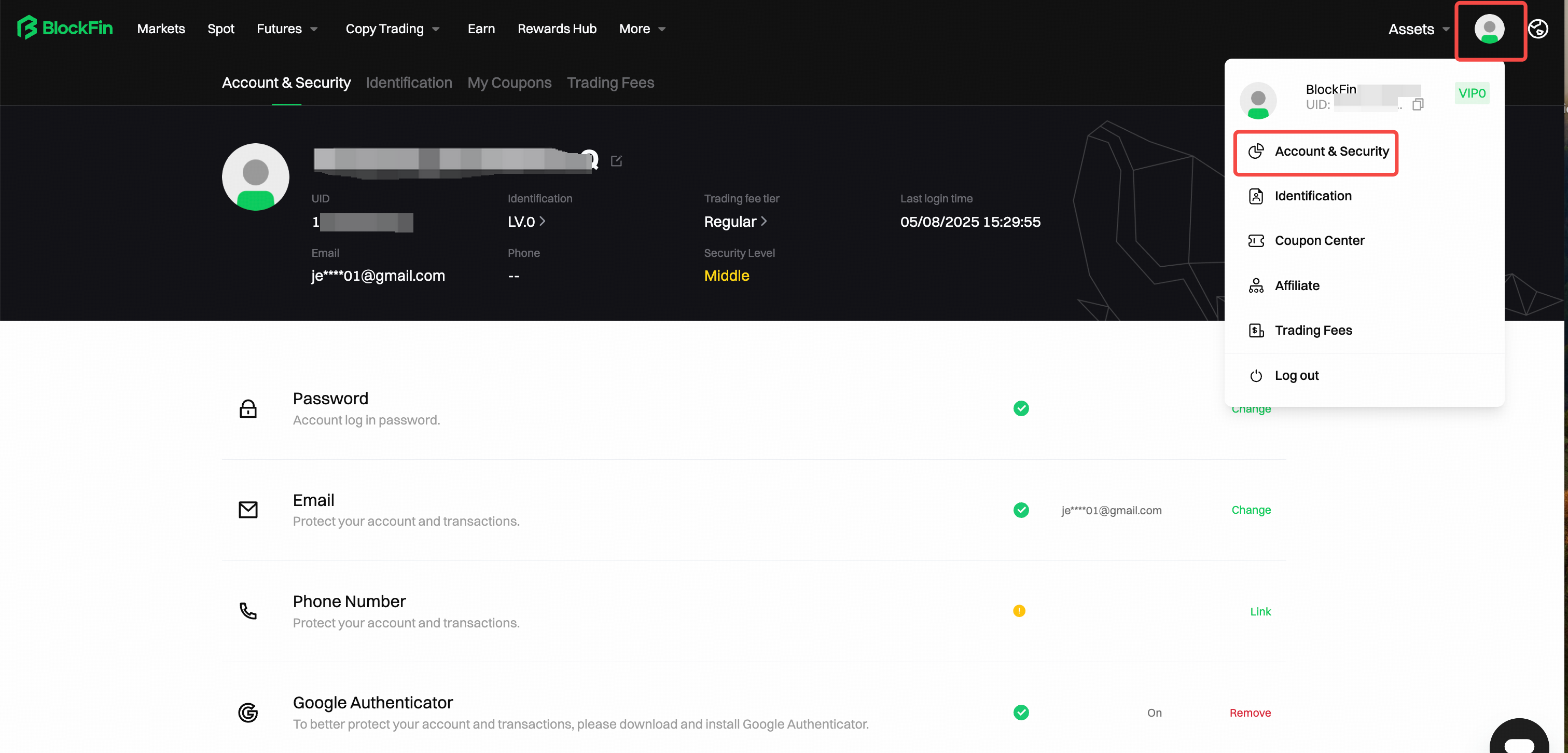
1. Log in to your BlockFin account and click [User Avatar] - [Account & Security].
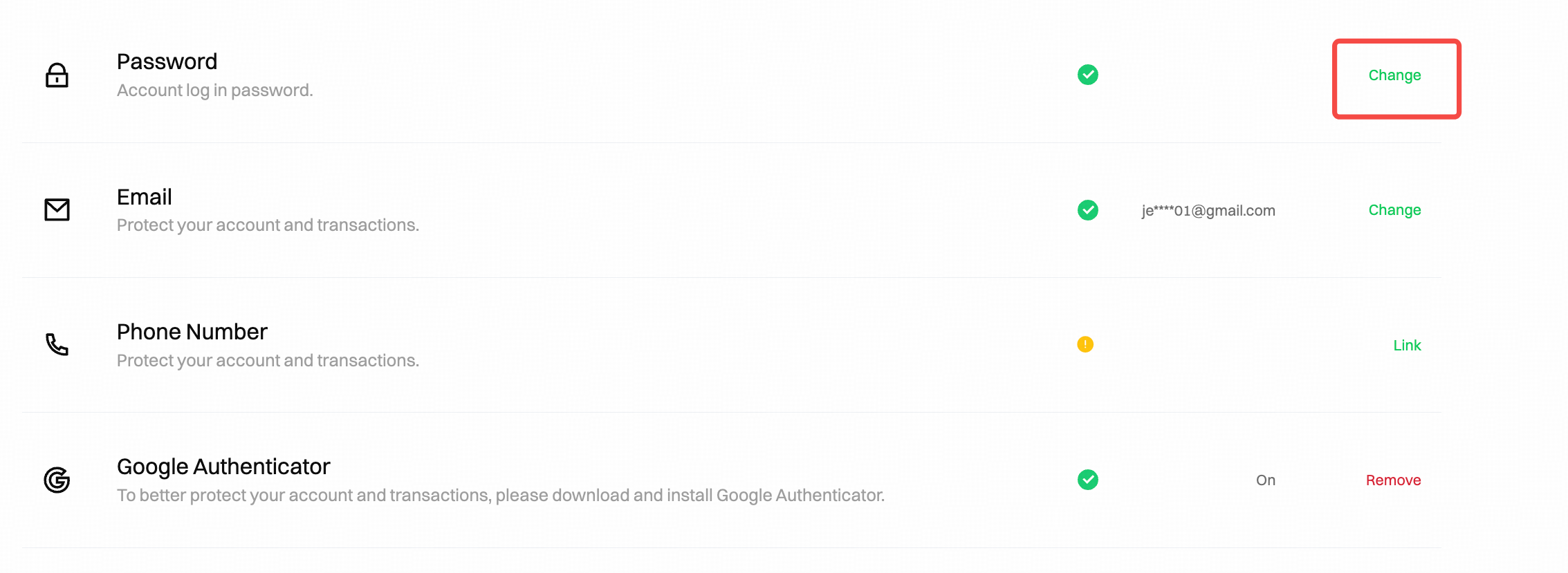
2. Go to [Password] session and click [Change].
3. A pop-up window appears and reminds that the withdrawal function will be suspended for 24 hours after resetting the security item, click [Continue] to next.
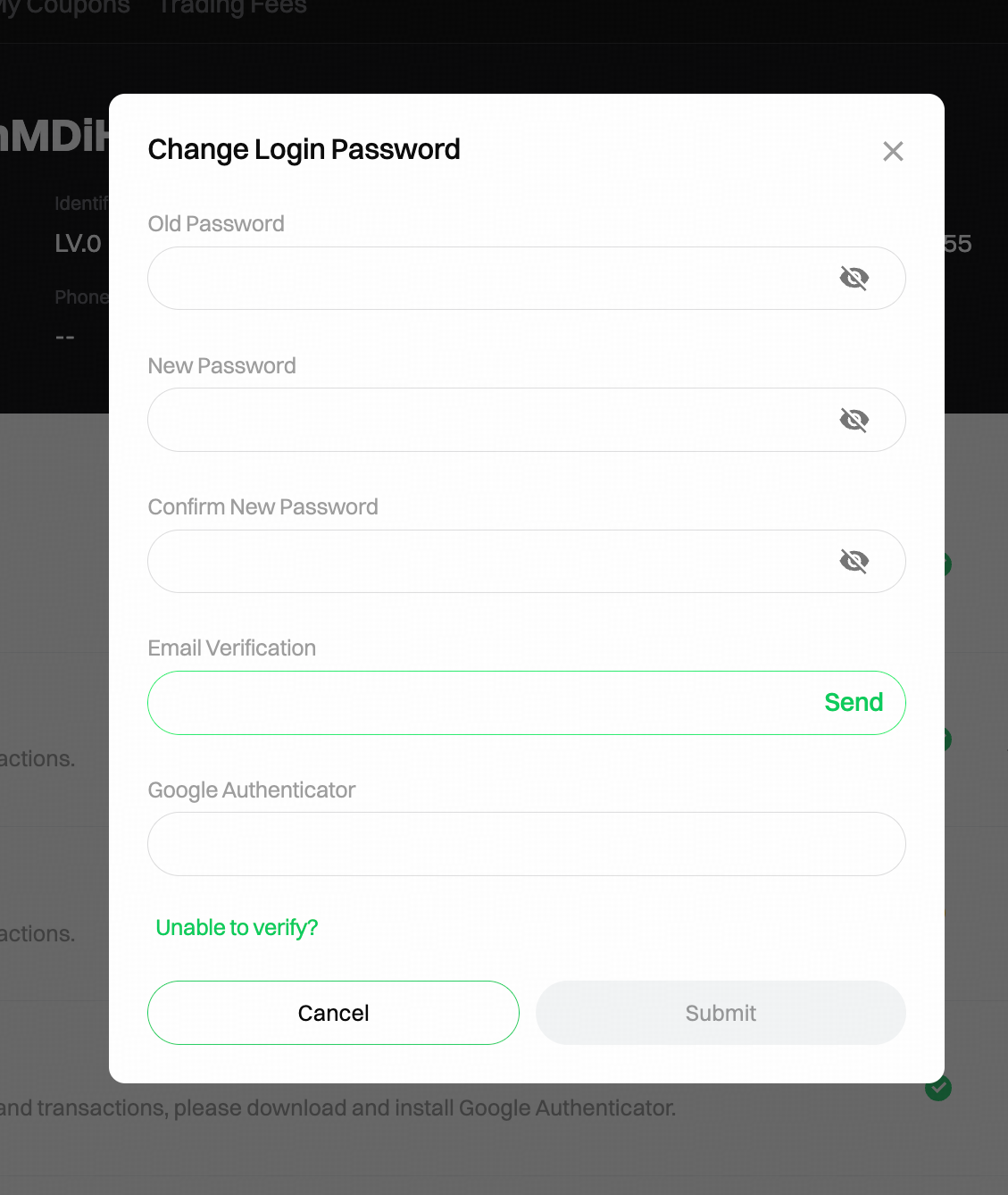
4. On the Change Login Password page, enter your [Old Password], [New Password], and Confirm New Password. Next, verify your email code, SMS code, and Google Authenticator code. Click on [Submit]. The password changes successfully.
A Step-by-Step Guide on App
1. Log in to your BlockFin account, tap [User Avatar], and select [Account & Security].
.
2. Navigate to the [Password] section and click on the arrow [→]. This action will prompt a pop-up window to appear. Click on [Confirm] to access the Change Password interface.
.
3. On the Change Password interface, enter your [Current Password], [New Password], and Confirm New Password. Next, verify your email code, SMS code, and Google Authenticator code. Click on [Submit] to successfully update your password.
If you have forgotten your password, please follow the steps below to reset it:
To protect your funds, the withdrawal function will be suspended for 24 hours after resetting verification methods.
A Step-by-Step Guide on Web
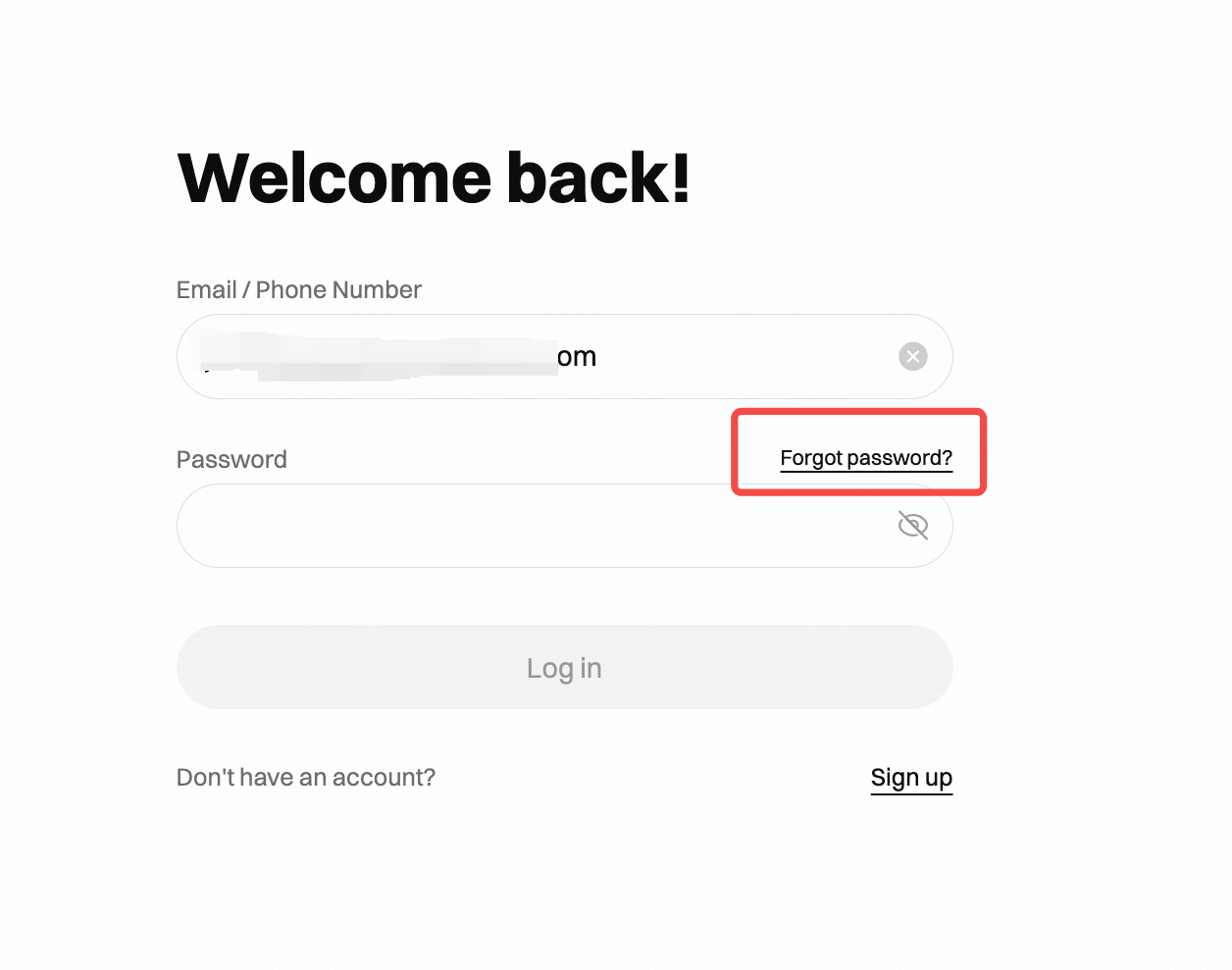
1. Go to the Login page on BlockFin and click
[Forgot Password].
2. A pop-up window appears and prompts that the withdrawal function will be suspended for 24 hours after resetting the security item, click on [Continue] to enter the Reset Password page.
3. On the Reset Password page, enter your account email or phone number, then click [Next].
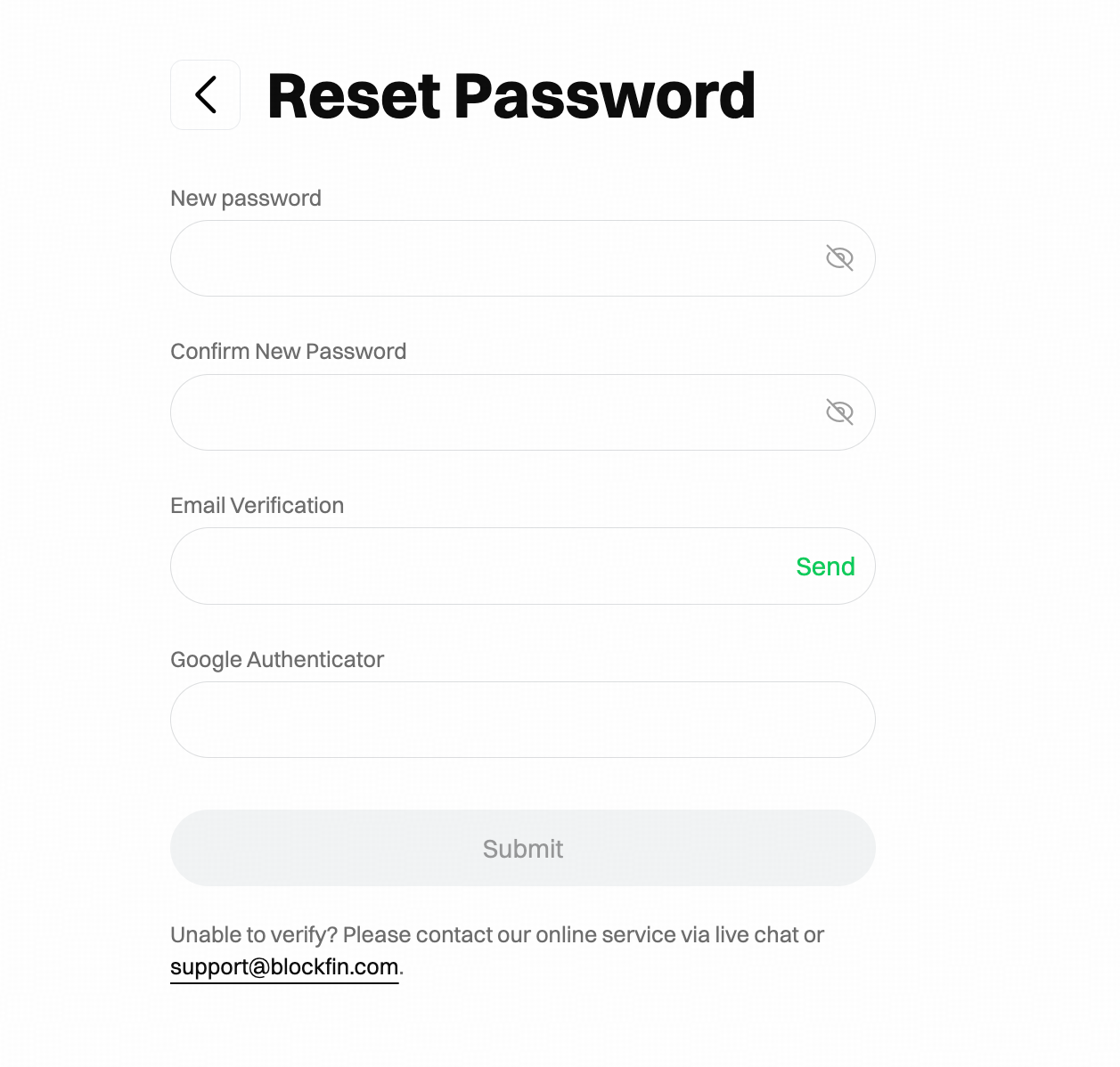
4. Enter your New Password, Confirm New Password, and verify your email verification code, SMS verification code and Google Authenticator code. Click [Submit]. The password is reset successfully.
A Step-by-Step Guide on App
1. Go to the Login page on the BlockFin App and tap on [Forgot Password].
2. On the [Forgot Password] interface, enter your account email/phone number. Please pay more attention to the red text reminders. Then, click on [Submit] to proceed.
3. Enter your New Password, Confirm New Password, and verify your email verification code, SMS verification code and Google Authenticator code. Click [Submit]. The password is reset successfully.
Notes:
1. The password is made up of 8-32 characters with combination of upper and lower letters, numbers, and symbols.
2. The email verification code is valid for 5 minutes.
3. Google Authenticator code is valid for 30 seconds.
4. To protect your funds, the withdrawal function will be suspended for 24 hours after resetting verification methods.